Making a Procurement
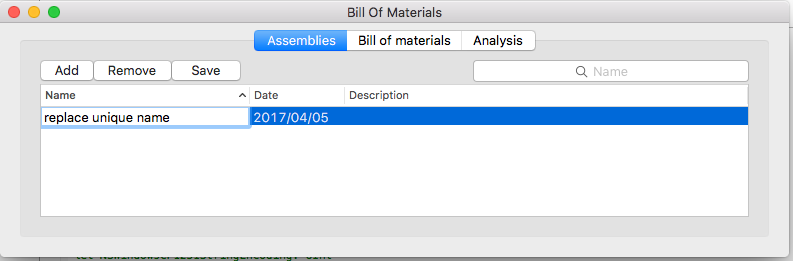
- In Assemblies click Add and enter a unique name.
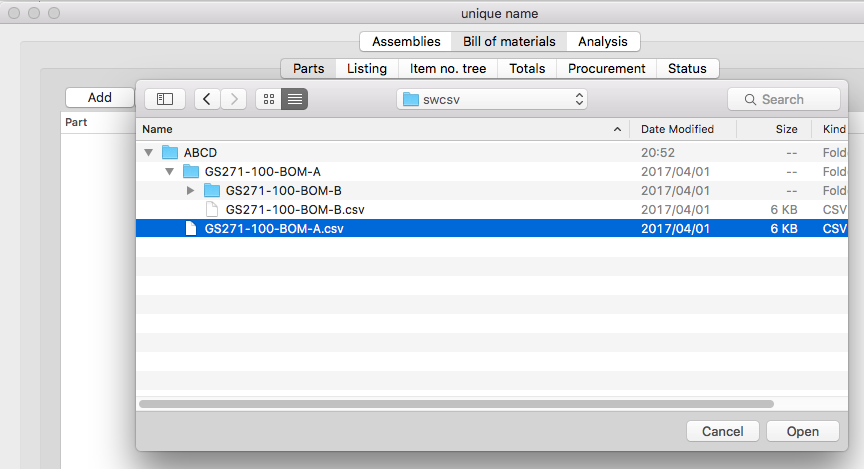
- In Bill of Materials click Parts and Add. Select a file (or multiple files) with OPEN DIALOG
Note
- The file’s creation and modification dates are shown.
- The same file can be reloaded with a new modification date.
- The modification date of a file will be changed if you open and save it in an editor.
- The modification date can also be modified with touch. (In terminal type touch filename or man touch)
- e.g. touch -t 194810211025 Box.csv changes the file’s date to 21 October 1948, 10:25
- Pick a file and click procurement.
- Click on the data and press Command-A to select all and then Command-C to copy all to the clipboard.
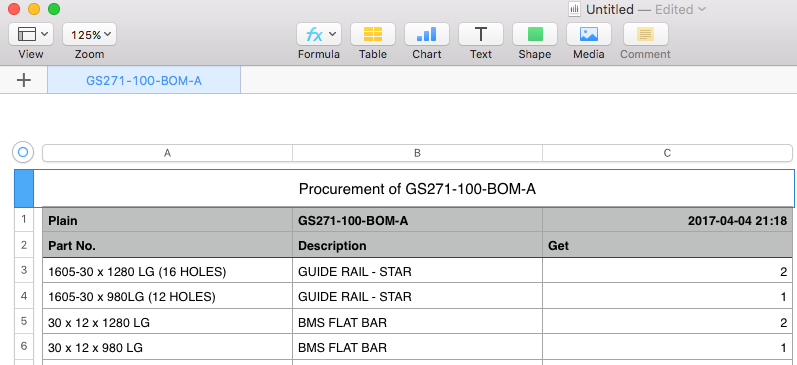
- Paste the procurement data in Numbers, or Click the Numbers button to open the procurement list in Apple’s Numbers App.
- The data can be pasted into another program like Excel.
- In Pages insert a basic table and paste the data in it.
Procurement viewed in the Numbers Application